What Does PSD Stand For? Photoshop Document Explained
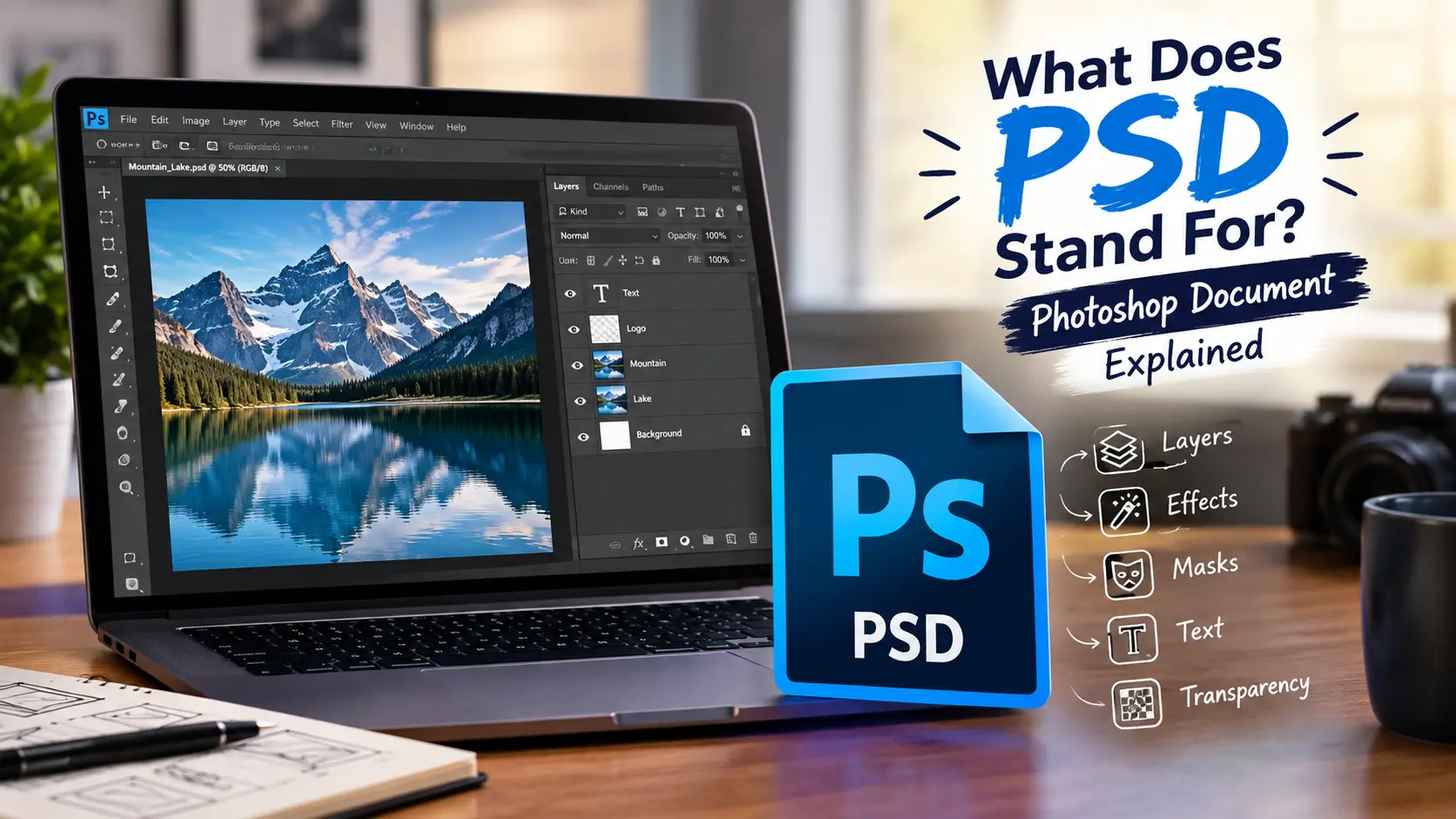
PSD stands for Photoshop Document. Adobe Photoshop uses PSD as its native file format to save editable image projects with layers, effects, masks, and other editing information.
Although Photoshop Document is the dominant meaning in design and computing, PSD can also mean different things in science, engineering, medicine, business, and other fields.
Quick Reference: PSD
| Term | Details |
| Full form | Photoshop Document |
| Category | Computing / Graphic Design |
| File extension | .psd |
| Main software | Adobe Photoshop |
| File type | Layered raster document |
| Developer | Adobe |
| First released | 1990 |
| Current status | Active and supported |
| Pronunciation | P-S-D |
| Related format | PSB — Photoshop Large Document |
Adobe describes PSD as Photoshop’s default format and says it preserves Photoshop features such as layers and effects.
What Does PSD Stand For in Photoshop?
In Photoshop, PSD stands for Photoshop Document.
A PSD file saves your working project instead of only saving a finished picture. This means you can return to the file later and continue editing individual parts of the design.
For example, a Photoshop project may contain:
- Text layers
- Photos
- Shapes
- Masks
- Adjustment layers
- Effects
- Transparency
- Color information
- Other editable elements
Adobe says PSD is the native Photoshop format and can preserve layers, effects, and other editing capabilities.
What Is a PSD File?
A PSD file is an editable Photoshop project that uses the .psd extension.
Unlike a JPEG or PNG, a PSD preserves the working structure of a design. This makes it useful when you expect to make changes later.
For example, a designer might create a website banner with separate layers for the background, logo, text, and photographs. Saving it as a PSD allows those elements to remain editable.
PSD files are commonly used for:
- Graphic design
- Photo editing
- Website design
- Advertising
- Digital artwork
- Social media graphics
- Print design
- Image retouching
Adobe notes that PSD can store multiple layers and other image data for editing.
A Short History of PSD
PSD developed alongside Adobe Photoshop.
A simplified timeline looks like this:
1988 → Photoshop development → 1990 → Photoshop 1.0 → 1994 → Layers added → Today → Modern PSD format
Thomas and John Knoll developed Photoshop in 1988. Adobe released Photoshop 1.0 publicly on February 19, 1990.
Layers became a major part of Photoshop with version 3.0 in 1994. This greatly expanded what PSD files could preserve and edit.
The format has continued to evolve as Photoshop has gained new features.
PSD vs. PSB
Very large Photoshop projects may use PSB, which stands for Large Document Format.
Adobe recommends PSB when a document exceeds the limits of PSD. PSB can support documents up to 300,000 pixels in width or height.
Is PSD an Acronym or an Initialism?
PSD is an initialism.
Pronounce the letters individually as ‘P-S-D‘, rather than as a single spoken word.
This differs from an acronym like NASA, which you pronounce as a single word.
In a computing context, people best describe PSD as an initialism for Photoshop Document.
What Can a PSD File Store?
PSD files can preserve many elements that are useful during image editing.
Common examples include:
Layers
Layers allow different parts of a design to be edited separately. You can change one element without permanently changing the others.
Masks
Layer masks control which parts of a layer are visible. They are useful for blending and non-destructive editing.
Text
PSD files can preserve editable text layers when the required fonts and Photoshop features are available.
Effects
Photoshop effects and other editing information can remain part of the working document.
Transparency
PSD supports transparency, which is useful when designs contain objects without a solid background.
Adobe recommends PSD when you want to preserve Photoshop features such as layers, effects, and masks.
Why Do Designers Use PSD Files?
Designers use PSD files because they keep the working parts of a project together.
Imagine you create a poster with five layers. You later notice that the title is too small. With a PSD file, you can open the project and change the title layer.
A flattened image would not provide the same editing flexibility.
PSD is therefore best thought of as a working file, rather than simply a finished image.
PSD vs. JPG vs. PNG
These formats serve different purposes.
| Format | Best For | Layers Preserved? | Common Use |
| PSD | Editable projects | Yes | Photoshop editing |
| JPG/JPEG | Compressed photos | No | Websites and photos |
| PNG | Transparency and graphics | No | Web graphics |
| PSB | Very large Photoshop projects | Yes | Large Photoshop documents |
PSD is useful while you are still working on a design. JPG and PNG are often more convenient when you need a finished image for sharing or publishing.
What Is the Difference Between PSD and PSB?
The main difference is document size.
PSD is Photoshop’s standard document format. PSB, or Large Document Format, is designed for much larger Photoshop documents.
Adobe states that PSD supports files up to 2 GB, while PSB is intended for documents that exceed PSD’s limits.
So, a normal design may work well as PSD. A very large project may require PSB.
Common PSD Misconceptions: Myth vs. Fact
Myth: PSD means a flat image.
Fact: PSD is designed to preserve editable Photoshop content, including layers and effects.
Myth: PSD and PNG are the same type of file.
Fact: PSD is a Photoshop working format, while PNG is an image format commonly used for finished graphics and web content.
Myth: Every PSD file can be opened with every image viewer.
Fact: PSD is a specialized Photoshop format. Support varies between applications, especially for advanced Photoshop features.
How Is PSD Pronounced?
Pronounce PSD by saying each letter separately.
“P-S-D.”
It is an initialism, so you do not normally pronounce it as one word.
Used in a Sentence
Here are some natural examples:
- “Can you send me the PSD so I can edit the design?”
- “I saved the project as a PSD to keep the layers.”
- “The client asked for the original PSD file.”
In these examples, PSD refers to a Photoshop Document.
Other Meanings of PSD
PSD has several meanings outside graphic design.
| PSD Meaning | Field |
| Photoshop Document | Computing / Design |
| Power Spectral Density | Physics / Engineering |
| Prevention of Significant Deterioration | Environmental regulation |
| Platform Screen Door | Transportation |
| Professional Scrum Developer | Software development |
| Particle Size Distribution | Science / Engineering |
These meanings depend on context. Reference sources list many additional uses for PSD across different fields.
For someone asking about a .psd file, however, the intended meaning is Photoshop Document.
Frequently Asked Questions
What does PSD stand for in Photoshop?
PSD stands for Photoshop Document. It is Photoshop’s native document format for saving editable projects.
What is a PSD file used for?
A PSD file is used to save editable Photoshop projects. It can preserve layers, effects, masks, and other Photoshop editing information.
Is PSD better than PNG?
They have different purposes. PSD keeps your Photoshop project editable, while PNG provides a finished image with transparency.
Can a PSD file contain layers?
Yes. Layers are one of the important features supported by PSD. Photoshop 3.0 introduced layers in 1994, making them a major part of the format’s evolution.
What is the difference between PSD and PSB?
PSD is Photoshop’s standard document format. PSB is Adobe’s Large Document Format for projects that exceed PSD’s size limits.
Conclusion
PSD stands for Photoshop Document, the native file format of Adobe Photoshop. It is mainly used to save editable designs while preserving layers, effects, masks, and other Photoshop features.
If you see a file ending in .psd, it is usually a Photoshop Document.

Michael Bennett is an educational content writer with a focus on technical, business, medical, and everyday terminology. He researches unfamiliar abbreviations and explains their meanings in straightforward language so readers can quickly understand what a term stands for and where it is commonly used.