What Does FTP Stand For? File Transfer Protocol Explained
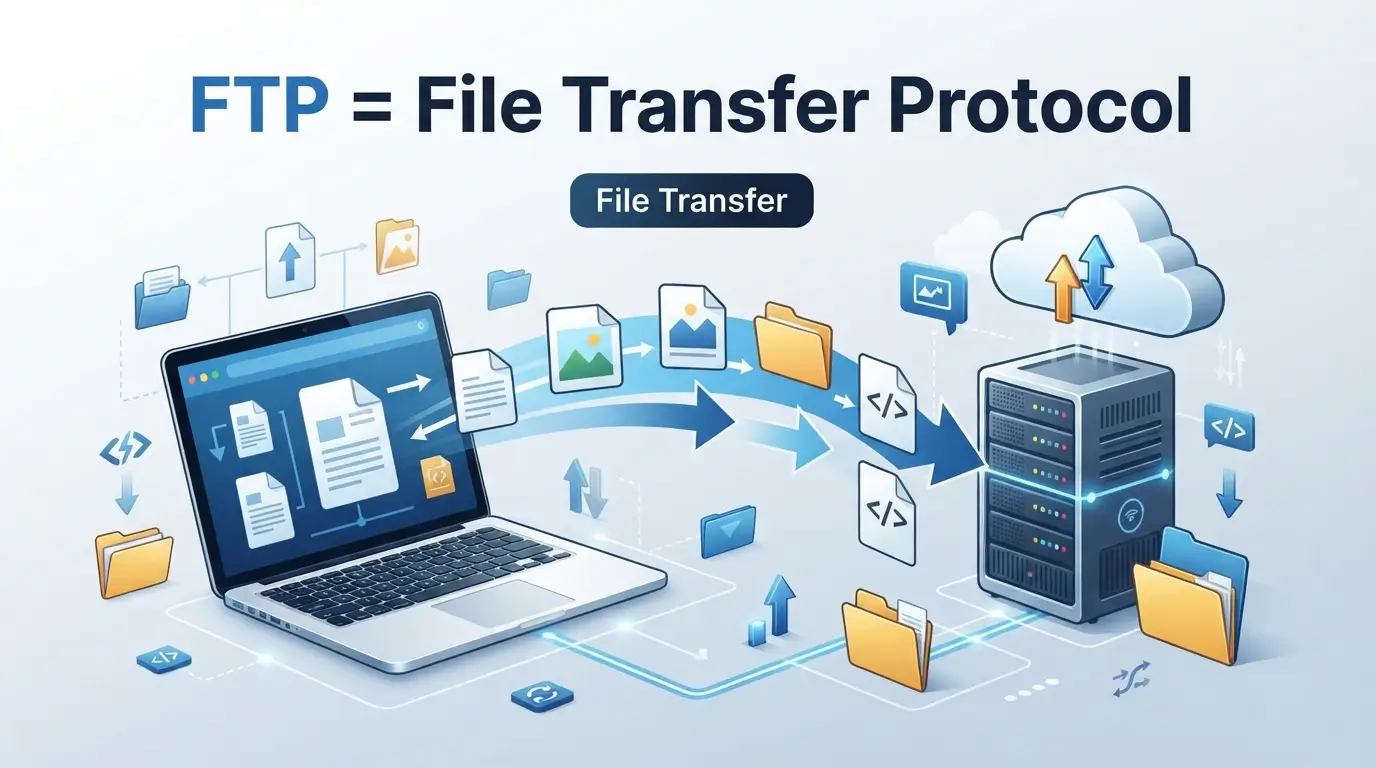
FTP stands for File Transfer Protocol. It is a network protocol used to transfer files between computers over a network.
FTP lets you upload, download, rename, delete, and manage files on a remote server. It is often used for website files, server management, backups, and other file-transfer tasks.
Quick Reference: FTP
| Term | Details |
| Full form | File Transfer Protocol |
| Category | Computer networking |
| Purpose | Transfer files between computers |
| Model | Client-server |
| Standard specification | RFC 959 |
| RFC 959 published | October 1985 |
| Common control port | TCP 21 |
| Data connection | Separate from the control connection |
| Security | Standard FTP does not encrypt traffic |
| Common alternatives | SFTP and FTPS |
RFC 959 is the official specification for FTP and was published in October 1985. The protocol itself has roots going back to early ARPANET file-transfer work in the 1970s.
What Does FTP Stand For?
FTP stands for File Transfer Protocol.
The name is simple:
- File means the data being moved.
- Transfer means moving that data from one place to another.
- Protocol means a set of rules that computers follow when communicating.
FTP provides rules that let an FTP client communicate with an FTP server. You can then transfer and manage files on the remote system.
What Is FTP?
FTP is a standard network protocol for moving files between a client and a server.
The client is usually the computer or application you use to connect. The server is the remote computer that stores the files.
For example, a website owner may use an FTP client to connect to a web server. They can then upload website files or download files from the server.
FTP uses separate connections for commands and file data. The control connection handles commands and responses, while a data connection handles transferred files and directory information.
A Simple FTP Example
Imagine your website has this file:
index.html
You have edited the file on your computer. Then connect to your web server with an FTP client.
You can upload the new index.html file to the server. The server can then use the updated file for your website.
The same process can work in reverse. You can download a file from the server to your computer.
How Has FTP Evolved?
FTP has a long history.
A simplified timeline looks like this:
Early ARPANET file transfer work → early FTP specifications → RFC 765 → RFC 959 → later FTP extensions
Early file-transfer mechanisms appeared in RFC documents during the early 1970s. FTP later evolved through several specifications. RFC 765 defined FTP for TCP, and RFC 959 became the official specification in October 1985.
RFC 959 has since been updated by several later RFCs. These include extensions related to security, internationalization, file access, and other FTP features.
What Is FTP Used For?
FTP is used to move and manage files between computers and remote servers.
Common uses include:
- Uploading website files
- Downloading files from servers
- Managing remote folders
- Creating file backups
- Moving large groups of files
- Supporting automated file transfers
- Maintaining older server systems
- Sharing files through configured FTP servers
Website developers have traditionally used FTP to upload themes, plugins, images, scripts, and other website files. Modern hosting services may also provide browser-based file managers and other transfer methods.
How Does FTP Work?
FTP uses a client-server model.
The basic process is:
- You open an FTP client.
- The client connects to an FTP server.
- You provide login details if authentication is required.
- The server checks your access.
- The client sends commands to the server.
- A separate data connection handles file transfers or directory information.
- The transfer finishes while the control connection can remain available.
This design allows commands and transferred data to use separate communication channels.
What Is an FTP Client?
An FTP client is software that connects to an FTP server.
The client gives you tools for actions such as:
- Uploading files
- Downloading files
- Creating folders
- Renaming files
- Deleting files
- Browsing remote directories
The FTP client communicates with the server using FTP commands.
What Is an FTP Server?
An FTP server is a computer or service that accepts FTP connections.
It controls access to files and directories. Depending on its configuration, it may require usernames and passwords or allow anonymous access.
The server also determines which files and folders each user can access.
What Port Does FTP Use?
FTP commonly uses TCP port 21 for its control connection.
FTP also uses a separate data connection. The exact data port depends on the FTP mode and configuration. In active FTP, TCP port 20 is traditionally associated with the server’s data connection, while passive FTP uses negotiated server-side ports.
This is one reason FTP can require more firewall configuration than protocols that use a single connection.
Is FTP Secure?
Standard FTP does not encrypt its traffic.
This means usernames, passwords, commands, and transferred data can be exposed while traveling across an untrusted network. AWS also identifies standard FTP as a cleartext protocol without traffic encryption.
For sensitive information, secure alternatives such as SFTP or FTPS are commonly used.
The important distinction is that FTP itself does not automatically become secure just because it is used through a modern FTP client.
FTP vs. SFTP
FTP and SFTP both transfer files, but they are different protocols.
| Feature | FTP | SFTP |
| Full name | File Transfer Protocol | SSH File Transfer Protocol |
| Security | No encryption by default | Encrypted through SSH |
| Common port | 21 for control | 22 |
| Connection design | Separate control and data connections | Single SSH connection |
| Based on | FTP specification | SSH |
| Main purpose | File transfer | Secure file transfer |
SFTP is not simply a secure version of FTP. It is a separate file-transfer protocol that operates through SSH.
This distinction matters when configuring a server or choosing connection settings.
FTP vs. FTPS
FTPS is also different from SFTP.
FTPS adds TLS security to FTP. It keeps the basic FTP model but adds encryption to the connection.
SFTP, on the other hand, uses SSH.
So:
- FTP = File Transfer Protocol
- FTPS = FTP protected with TLS
- SFTP = SSH-based file-transfer protocol
The similar names can make these protocols easy to confuse.
Is FTP Still Used Today?
Yes, FTP is still used in some environments.
Current hosting and file-transfer guides continue to document FTP for website management, server administration, automated transfers, and legacy systems.
However, standard FTP remains unencrypted. For transfers that need protection, organizations often use encrypted alternatives such as SFTP or FTPS.
So FTP has not disappeared. Its role has changed as security needs and newer transfer methods have grown.
FTP: Acronym, Initialism, or Backronym?
FTP is best described as an initialism.
Its letters represent:
F — File
T — Transfer
P — Protocol
Unlike a word such as NASA, which is commonly pronounced as one word, FTP is normally pronounced by saying its individual letters:
“F-T-P.”
It is not a backronym. The words File Transfer Protocol are the established name of the protocol.
Common FTP Myths vs. Facts
| Myth | Fact |
| FTP means Secure File Transfer Protocol. | FTP means File Transfer Protocol. Secure alternatives include SFTP and FTPS. |
| SFTP is simply an encrypted version of FTP. | SFTP is a separate protocol based on SSH. |
| FTP always uses only port 21. | Port 21 is used for the control connection, while FTP also uses a separate data connection. |
| FTP and FTPS are the same. | FTPS adds TLS to FTP, while SFTP uses SSH. |
The distinctions between FTP, FTPS, and SFTP are documented in current technical guidance and protocol specifications.
FTP Used in a Sentence
Here are some natural examples:
- I used FTP to upload the website files to the server.
- The developer connected to the server through an FTP client.
- The hosting account supports FTP and SFTP connections.
These examples show the normal technical use of the abbreviation.
How Is FTP Pronounced?
FTP is pronounced by saying each letter separately:
“F-T-P.”
It is not normally pronounced as one word.
What Does FTP Mean in Different Contexts?
Although File Transfer Protocol is the dominant technology meaning, FTP can have other meanings in specialized fields.
For example, acronym databases list meanings such as Functional Threshold Power in cycling and Federal Test Procedure in automotive contexts.
However, when someone asks “What does FTP stand for?” in a computer, website, hosting, or networking context, File Transfer Protocol is the relevant meaning.
Frequently Asked Questions
What does FTP stand for in computers?
FTP stands for File Transfer Protocol. It is a network protocol used to transfer files between a client and a server.
What is FTP mainly used for?
FTP is mainly used to upload, download, and manage files on remote systems. Website maintenance is one common use.
What is the difference between FTP and SFTP?
FTP is the original File Transfer Protocol and does not encrypt traffic by default. SFTP is a separate protocol that runs through SSH and encrypts the connection.
What port does FTP use?
FTP normally uses TCP port 21 for its control connection. Its data connection uses separate ports based on the FTP mode and server configuration.
Is FTP safe to use?
Standard FTP does not encrypt its traffic. For sensitive files or credentials, an encrypted transfer method such as SFTP or FTPS should be considered.
Conclusion
FTP stands for File Transfer Protocol, a long-established protocol for moving files between computers and servers. It remains relevant in hosting, server management, and legacy workflows, but standard FTP does not encrypt traffic.